Staff Training & Competency
Assign training, track completion and prove competency — all inside INTENTIQ. Build your own modules, set renewal dates, and keep a live training matrix ready for any CQC inspection.
One place for every staff record
No more spreadsheets or paper certificates in a drawer. INTENTIQ’s training module keeps mandatory courses, clinical competencies, policy sign-offs and SOP acknowledgements in one live dashboard — with automatic reminders before anything expires.
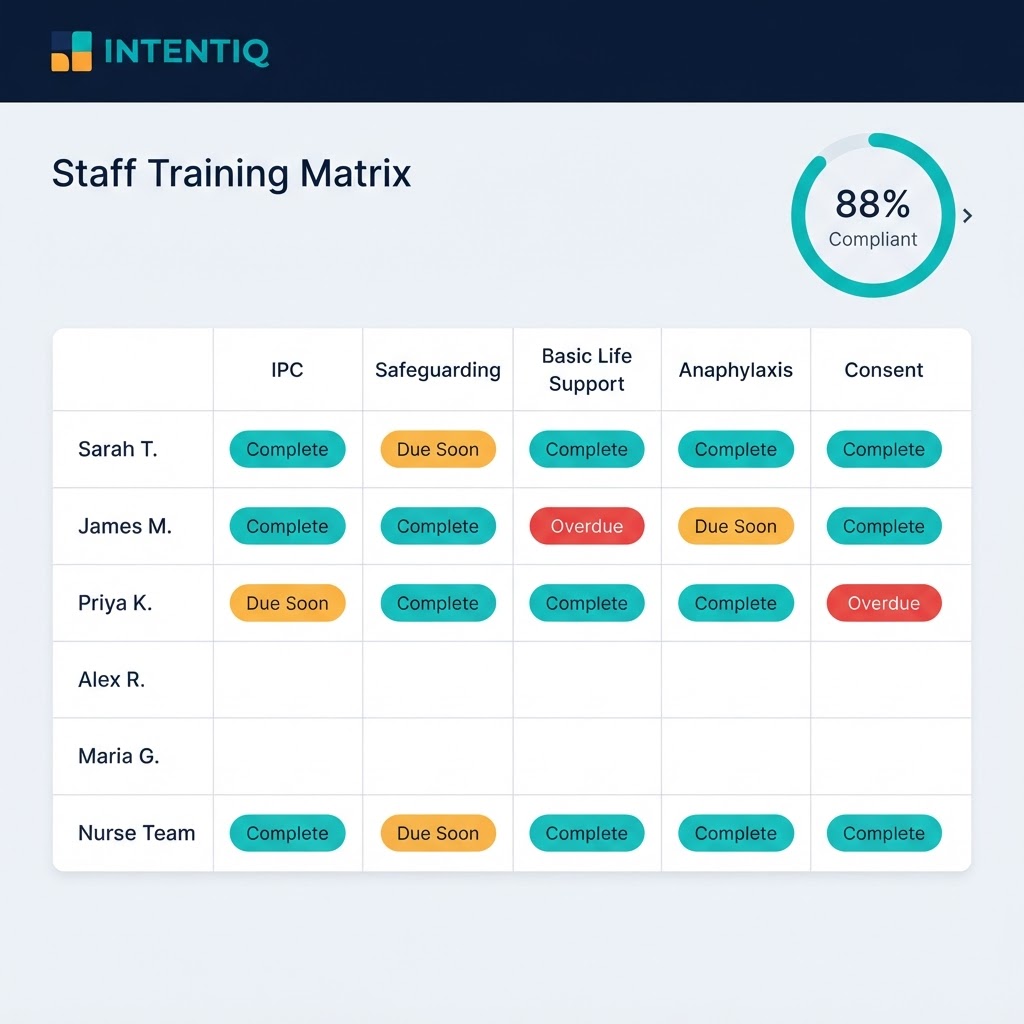
The live training matrix — every staff member, every course, at a glance.
Build your own modules
Create training modules tailored to your clinic — add content, learning outcomes, documents and a completion check. Use them for onboarding, refreshers or new-treatment sign-offs.
Assign to staff
Allocate modules to individuals or the whole team in a couple of clicks. Each member sees their own to-do list and works through it at their own pace.
Live training matrix
See every staff member and every course in one grid — complete, due, or overdue — with a clinic-wide compliance percentage updated in real time.
Renewal reminders
Set expiry dates for time-limited certificates — BLS, safeguarding, anaphylaxis — and INTENTIQ flags them before they lapse, so nothing is ever missed.
Certificates & evidence
Upload external certificates and store them against each record. Every completion is time-stamped — a full audit trail of who trained on what, and when.
Policy & SOP sign-off
Publish a policy or SOP and require staff to read and acknowledge it. Acknowledgements are logged automatically — ready-made evidence for CQC Regulations 17 & 18.
How to set up training for your team
From an empty workspace to a fully tracked team in four steps.
|
||
|
||
|
||
|
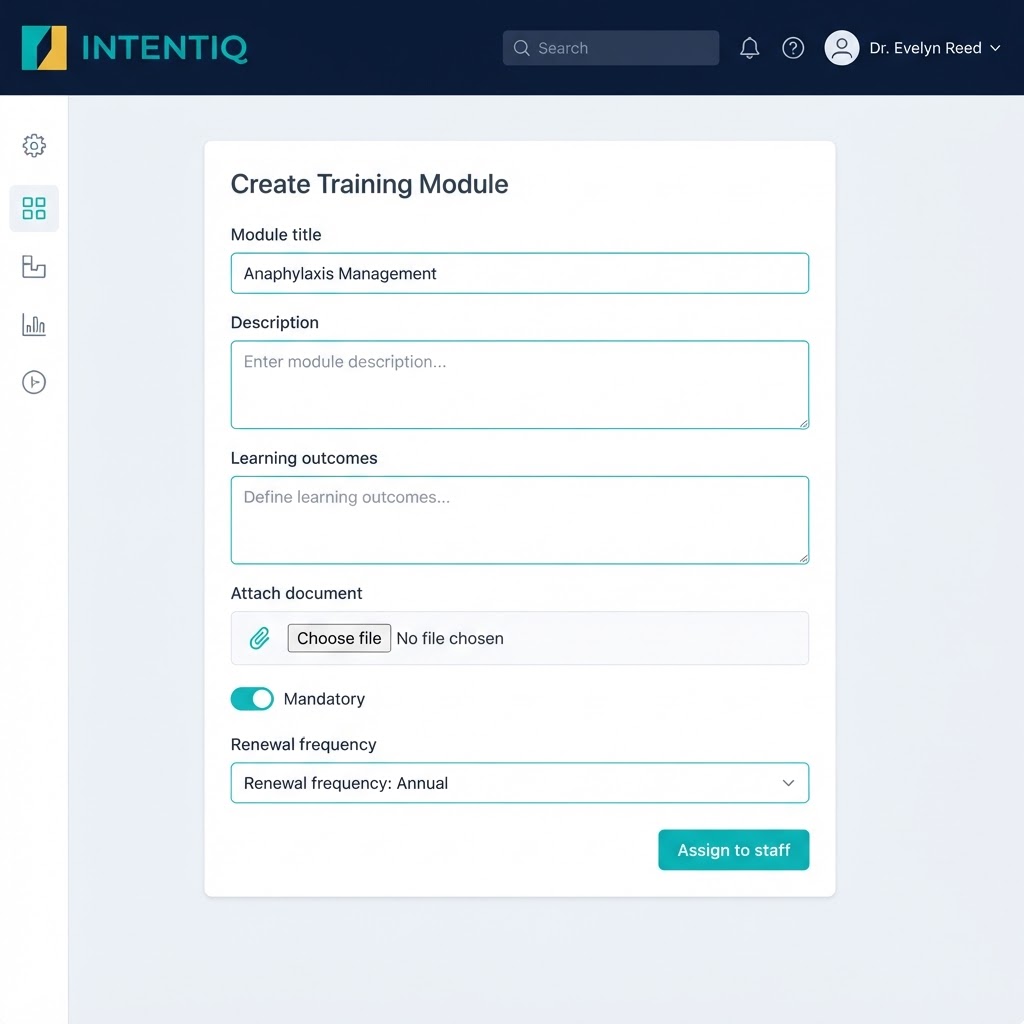
Building a module takes minutes — add content, set it mandatory, choose a renewal cycle.
Why it matters for CQC: Inspectors expect clear evidence that staff are trained, competent and up to date (Regulations 12, 17 & 18). INTENTIQ turns that from a scramble before an inspection into a live, always-ready record.
See the training module in action
Book a short demo and we’ll show you how to build your first module and roll it out to your team.
CQC-ready clinic management — built for aesthetic medicine